
OpenClaw for Marketing Ops: Campaign Launch Checklists That Actually Work
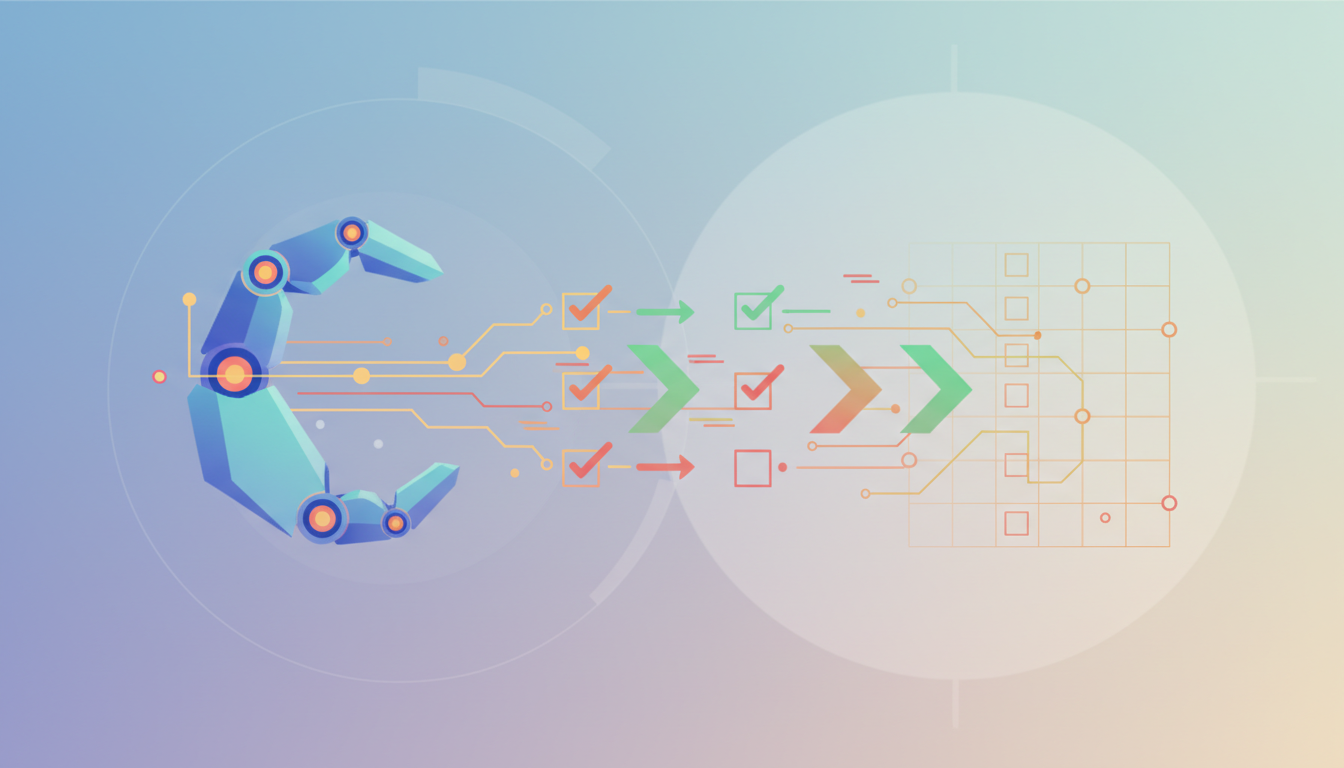
OpenClaw for Marketing Ops: Campaign Launch Checklists
Launching a marketing campaign without a proper checklist is like building a house without blueprints. You might get something standing, but it probably won't pass inspection. Marketing operations teams face increasing pressure to launch campaigns faster while maintaining quality, tracking accuracy, and cross-platform consistency. A well-structured campaign launch checklist ensures nothing falls through the cracks, from UTM parameters to conversion tracking.
Quick Answer: A marketing campaign launch checklist is a systematic verification process that ensures all campaign elements—tracking codes, creative assets, audience targeting, budget allocation, and analytics setup—are properly configured before going live. OpenClaw automates checklist validation, reducing manual verification time by up to 85% while catching configuration errors that could compromise campaign performance.
What Is a Marketing Campaign Launch Checklist?
A campaign launch checklist is your quality control system for marketing campaigns. Think of it as a pre-flight checklist pilots use before takeoff. Every item needs verification because skipping even one step can lead to wasted budget, inaccurate data, or missed opportunities.
The typical checklist covers five main areas: strategy and planning, creative assets, technical setup, tracking and analytics, and team coordination. Marketing ops teams use these checklists to verify that campaigns will perform as expected and generate measurable results.
Here's what makes a campaign launch checklist different from a general marketing plan. A marketing plan outlines what you'll do and why. The launch checklist focuses on verification—confirming that everything is actually set up correctly before you spend a single dollar on ads.
Most teams start with spreadsheets or project management tools to track checklist items. The problem? Manual checking is time-consuming and prone to human error. You might verify UTM parameters are in place but miss that they're not properly formatted for your analytics platform. Or confirm that conversion tracking is installed but not realize the pixel is firing on the wrong page.
That's where automation changes the game. Instead of manually checking each item, you can use AI agents to verify configurations, test tracking, and flag potential issues before launch.
Why Do Marketing Teams Need Campaign Launch Checklist Systems?
The data tells a clear story. Campaigns with structured pre-launch checklists achieve success rates up to 76% higher than those launched without systematic verification. That's not a small difference—that's the gap between campaigns that hit their targets and ones that struggle to break even.
Marketing operations teams juggle dozens of moving pieces for each campaign. You've got creative assets across multiple formats, landing pages that need testing, email sequences with personalization tokens, ad platform configurations, audience segments, budget allocations, and tracking pixels. Miss one element and you're either flying blind or wasting money.
Consider what happens when tracking isn't set up correctly. Your campaign runs, people click, some convert. But your analytics show nothing, or worse, show misleading data. You can't optimize what you can't measure accurately. By the time you discover the tracking issue, you've already spent budget on untrackable traffic.
The most common launch failures aren't strategic—they're operational. Broken links in email campaigns. UTM parameters with typos that fragment your analytics. Conversion pixels placed on the wrong pages. Form submissions that don't route to your CRM. Budget caps set incorrectly causing campaigns to pause unexpectedly.
A systematic checklist approach prevents these failures. But manual checklists still leave room for oversight. Someone checks the box saying they verified tracking, but they tested the wrong page. Or they confirmed the ad copy was approved but didn't catch that the legal disclaimer is missing.
This is why marketing teams are turning to automated verification systems. With OpenClaw, you can build workflows that actually test each checklist item rather than just asking humans to confirm they tested it. The difference matters.
How Can OpenClaw Automate Your Campaign Launch Process?
OpenClaw brings AI agents into your marketing operations workflow, automating the verification steps that typically eat up hours of manual work. Instead of having team members manually check each item, you create skills and workflows that handle verification automatically.
Here's how it works in practice. You're preparing to launch a new campaign across Google Ads, Facebook, and email. Traditionally, someone on your team would manually visit each platform, check configurations, test tracking links, verify pixel installation, and confirm budget settings. With OpenClaw, you set up an automated workflow that performs these checks for you.
The workflow can verify UTM parameters are properly formatted, test that tracking pixels fire correctly, confirm landing page forms are connected to your CRM, check that email sequences have all required personalization fields, and validate that audience segments match your targeting criteria. All of this happens automatically, generating a verification report that highlights any issues.
What makes OpenClaw particularly valuable for marketing ops is its ability to integrate with your existing tools. You can connect it with Google Analytics to verify tracking setup, pull data from your ad platforms to confirm campaign configurations, check your CRM to ensure lead routing works correctly, and access your email service provider to validate automation sequences.
The automation doesn't just save time—it catches errors humans miss. When you're manually checking dozens of items, fatigue sets in. You might glance at a UTM parameter and not notice the typo. An automated check catches that every time.
Teams using OpenClaw for campaign launch automation report significant time savings. Tasks that previously took 3-4 hours of manual verification now complete in 15-20 minutes. That's not just efficiency—it means you can run quality checks more frequently without burning out your team.
You can also set up OpenClaw to manage pull requests for campaign assets, ensuring all changes go through proper review before deployment. This integration between code management and marketing workflows creates accountability while maintaining agility.
What Should Every Campaign Launch Checklist Include?
A comprehensive campaign launch checklist needs to cover every element that could affect campaign performance or measurement. Here are the essential categories and specific items within each.
Strategy and Planning Verification
Before any technical setup begins, verify the foundation is solid. Confirm campaign objectives are clearly defined with specific, measurable targets. Check that you've documented target audience segments with demographic and behavioral criteria. Ensure budget allocation matches strategic priorities and channel performance expectations. Validate that campaign timeline includes all key dates: launch, optimization milestones, and end date.
Review competitive positioning to ensure your messaging differentiates from what competitors are currently running. Document the value proposition and key messages for consistency across all channels. Verify that campaign naming conventions are consistent for easier reporting later.
Creative Assets and Content
Every piece of creative needs verification before launch. Check that all ad copy variations are approved by stakeholders and comply with platform policies. Verify image and video assets meet platform specifications for dimensions, file size, and format. Confirm landing pages are live, mobile-responsive, and load quickly.
Test all form submissions to ensure they route correctly to your CRM or database. Verify email templates render correctly across major email clients. Check that all links work and point to the correct destinations. Ensure CTAs are clear and consistent across touchpoints.
Technical Setup and Integration
This is where most launch failures happen. Verify UTM parameters are structured consistently using your naming conventions. The format should include source, medium, campaign, and content parameters. Test that parameters are properly URL-encoded and don't break when clicked.
Confirm conversion tracking pixels are installed on the correct pages and fire when expected actions occur. Test the complete conversion path from ad click to conversion event to ensure every step tracks properly. Verify Google Analytics or your analytics platform receives campaign data correctly.
Check that marketing automation workflows are set up with proper triggers, delays, and branching logic. Test personalization tokens to ensure they populate correctly rather than displaying merge field errors. Verify lead scoring rules align with campaign objectives.
Confirm retargeting audiences are properly defined and include the right inclusion and exclusion criteria. For platforms with custom integrations, exploring hidden features can unlock additional optimization capabilities.
Measurement and Reporting
Before launch, establish how you'll measure success. Define which KPIs matter for this specific campaign type. Set up custom dashboards or reports that track these metrics in real-time. Verify that all team members have access to the necessary reporting tools.
Configure automated alerts for critical metrics. If campaigns pause unexpectedly, ad spend exceeds daily limits, or conversion rates drop significantly, you need to know immediately. Setting up custom RSS alerts for specific data thresholds keeps your team informed without constant manual checking.
Establish baseline metrics for comparison. If you're running an email campaign, what's your typical open rate and click-through rate? For paid ads, what's your standard cost per click and conversion rate? You need context to evaluate performance.
Team Coordination and Approval
Marketing campaigns involve multiple stakeholders. Verify that all required approvals are documented. Check that sales teams understand what to expect from lead volume and quality. Ensure customer support knows about campaign messaging in case customers have questions.
Confirm that everyone with campaign responsibilities understands their role and timeline. Document backup contacts in case primary team members are unavailable during launch. Set up communication channels for launch day monitoring and issue resolution.
How Do You Set Up OpenClaw for Marketing Operations?
Getting OpenClaw configured for marketing automation requires some upfront investment, but the setup process is straightforward. Most teams complete initial configuration in 2-4 hours and start seeing value from basic workflows within the first week.
Start by installing OpenClaw following the standard setup process. Marketing teams typically install it on a dedicated machine or server that can run continuously to handle scheduled automation tasks. You'll need API access to your marketing tools—Google Analytics, ad platforms, email service providers, and your CRM.
The next step is configuring integrations. OpenClaw supports connections to most major marketing platforms through APIs. You'll generate API keys from each platform and configure them in OpenClaw. This allows your workflows to read data from these systems and, where appropriate, make updates or trigger actions.
Once integrations are in place, you can start building skills and workflows. Begin with simple verification tasks rather than trying to automate your entire checklist at once. A good first workflow might verify UTM parameter formatting across a set of campaign URLs. This provides immediate value without requiring complex logic.
As you build more workflows, document your processes. Create a library of reusable skills that team members can combine for different campaign types. A skill that verifies conversion pixel installation can be reused across product launches, promotional campaigns, and ongoing programs.
Consider setting up OpenClaw to help manage your workflow code and configurations through GitHub. Using pull request automation ensures changes to marketing workflows go through proper review, preventing configuration mistakes from affecting live campaigns.
Security matters when automating marketing operations. Your workflows access multiple platforms with API keys that grant significant permissions. Use secure storage for credentials, limit access to what each workflow actually needs, and regularly audit which integrations are active. Never hardcode API keys in workflow scripts.
Most marketing teams start with 3-5 core workflows and expand from there. Common starting points include UTM verification, conversion tracking validation, landing page testing, email template checks, and campaign budget monitoring. These high-impact automations address frequent pain points and demonstrate clear ROI.
What Are the Most Common Campaign Launch Mistakes?
Even experienced marketing teams make preventable errors during campaign launches. Understanding common mistakes helps you build checklists that prevent them.
Tracking and Analytics Errors
The most frequent failure point is tracking setup. UTM parameters get formatted incorrectly, breaking analytics reports. Common mistakes include inconsistent capitalization (treating "Email" and "email" as different sources), special characters that break URLs, missing parameters that fragment data, and typos that create phantom traffic sources.
Conversion tracking fails when pixels are placed on the wrong pages or don't fire due to page load issues. Teams often test tracking in one environment but deploy to production where different page structures prevent pixels from loading. Always test tracking in the actual production environment where campaigns will run.
Another common error is forgetting to exclude internal traffic from analytics. Your team's testing and quality assurance activities can skew campaign metrics if not filtered out. Set up IP exclusions or use filters to separate internal from external traffic.
Budget and Pacing Issues
Budget configuration errors can drain campaign spending too quickly or prevent campaigns from running at all. Setting daily budgets too low causes campaigns to pause early each day, missing peak traffic hours. Automated bidding strategies need sufficient budget to optimize effectively—constraining them too tightly prevents the algorithm from learning.
Forgetting to set end dates leads to campaigns running longer than intended, especially problematic for time-sensitive promotions. Similarly, failing to configure ad scheduling can result in campaigns running during low-value hours when your target audience isn't active.
Creative and Content Problems
Broken links are surprisingly common in campaign launches. Someone updates a landing page URL but forgets to update the links in ads or emails. Test every link in every variation of your creative before launch. Click through from each ad to ensure users reach the intended destination.
Form configuration errors prevent lead capture. Missing required fields, broken CRM integrations, or incorrect redirect settings mean users complete forms but data never reaches your database. Test form submissions with real data and verify the information appears correctly in your CRM.
Audience and Targeting Misconfigurations
Audience targeting mistakes can send campaigns to the wrong people. Accidentally using broad match keywords when you intended phrase match, forgetting to exclude existing customers from acquisition campaigns, or misconfiguring geographic targeting that shows ads in unintended regions.
Retargeting audiences need proper time windows and frequency caps. Showing ads too frequently annoys users; showing them too infrequently wastes the initial engagement. Define clear audience membership criteria and verify they're implemented correctly in each ad platform.
Team Communication Failures
Launching campaigns without coordinating with other teams creates problems. Sales teams surprised by lead volume can't follow up effectively. Customer support without campaign context provides inconsistent responses. Stakeholders who haven't approved final creative may raise concerns after campaigns launch.
Document approval workflows and confirmation from each stakeholder. Use shared project management tools where everyone can see campaign status, key dates, and their specific responsibilities.
How Do You Verify Tracking and Analytics Before Launch?
Tracking verification is critical because you can't optimize what you can't measure. A systematic approach to testing analytics ensures data accuracy from day one.
Start with UTM parameter validation. Review every URL that will appear in campaign materials. Check that UTM parameters follow your naming conventions exactly. Verify that values are URL-encoded properly—spaces should be %20, ampersands should be %26. Test each URL in a browser to ensure it redirects correctly and the landing page loads.
Use a spreadsheet or verification tool to track which URLs you've tested. For campaigns with dozens of URL variations, manual checking becomes error-prone. This is where automated verification provides significant value.
Next, verify conversion tracking implementation. Visit your website or landing pages and complete the desired conversion action. Check your analytics platform to confirm the conversion event fires. Look for the specific event in real-time reports or debug views.
Test the complete user journey from multiple starting points. Click an ad from your testing account, go through the landing page, complete a form, and verify the conversion. Do this for each major conversion path your campaign uses.
For email campaigns, verify that tracking links work correctly. Send test emails to various email clients—Gmail, Outlook, Apple Mail—and click links from each. Email clients sometimes modify URLs, breaking tracking parameters. Confirm links work across different clients and devices.
Check that your analytics platform segments campaign traffic correctly. Create a test campaign with known UTM parameters and verify the traffic appears in the right channel grouping. If email traffic shows up as direct or referral traffic instead of email, your channel definitions need adjustment.
Set up custom reports or dashboards before launch. Don't wait until the campaign is running to discover you can't easily view the metrics that matter. Build the reporting structure during setup and test it with sample or historical data.
Document baseline metrics and establish benchmarks. What conversion rate do you need to break even? What click-through rate would indicate strong creative performance? Define these thresholds before launch so you can quickly evaluate performance.
How Can You Automate Quality Control Checkpoints?
Automated quality control transforms campaign launches from manual verification marathons into systematic, reliable processes. Instead of hoping someone remembers to check each item, automation ensures critical verifications happen every time.
Build verification workflows that test rather than just remind. A manual checklist says "verify conversion tracking is installed." An automated workflow actually loads your landing page, looks for the tracking pixel, simulates a conversion event, and confirms the event appears in analytics. The difference is certainty versus assumption.
Create automated tests for common failure points. A URL validation workflow can check every link in campaign materials, verify each URL returns a 200 status code, confirm landing pages load within acceptable time limits, and flag any broken or slow-loading pages. Run this check before launch and again just before campaigns go live to catch last-minute issues.
Set up continuous monitoring for launched campaigns. Automated checks can verify campaigns are still running as expected, budgets are pacing appropriately, tracking continues to function, and performance metrics stay within expected ranges. When something falls outside normal parameters, alerts notify the team immediately.
Use OpenClaw skills to perform pre-launch audits. A comprehensive audit workflow might verify all creative assets meet platform specifications, confirm UTM parameters follow naming conventions, test conversion tracking across all paths, validate audience targeting settings, and check budget and scheduling configurations. The workflow generates a pass/fail report highlighting any items needing attention.
Build approval workflows into your automation. Before campaigns launch, automated systems can route creative to stakeholders for sign-off, track approval status, and prevent launch until all required approvals are documented. This creates accountability while maintaining speed.
Document your automated workflows so team members understand what gets checked and how. When automated verification flags an issue, people need context to evaluate whether it's a real problem or a false positive. Clear documentation builds trust in automated systems.
As you develop more automated workflows, consider creating reusable components that work across different campaign types. A UTM validation skill can check parameters for email, ads, social media, and partner campaigns. Building a library of flexible, reusable automation components multiplies the value of your initial setup effort.
What Integrations Does OpenClaw Need for Campaign Management?
Effective campaign automation requires connections to your marketing technology stack. The specific integrations you need depend on your campaign channels and tools, but most marketing teams use a core set of platforms.
Analytics and Tracking Platforms
Google Analytics is the foundation for most campaign measurement. OpenClaw can integrate with Google Analytics via API to verify tracking configurations, pull campaign performance data, check conversion events, and confirm traffic sources are properly categorized. This allows automated workflows to test that campaign traffic appears correctly before you spend budget.
Google Tag Manager integration helps verify that tags fire correctly and all container configurations are published to production environments. Automated checks can confirm the right tags are active for your campaign.
Advertising Platforms
Integration with Google Ads, Facebook Ads, LinkedIn Campaign Manager, and other ad platforms enables automated verification of campaign settings. Workflows can check targeting configurations, confirm budgets and bids, verify ad creative meets specifications, and pull performance data for reporting.
API access to these platforms allows OpenClaw to not just verify but also update configurations based on performance. Advanced automation can pause underperforming campaigns, adjust budgets based on results, or update bids to maintain target metrics.
Email and Marketing Automation
Connecting to email service providers like Mailchimp, SendGrid, or marketing automation platforms like HubSpot and Marketo allows verification of email campaign configurations. Automated workflows can check that segmentation rules are correct, verify personalization tokens work properly, confirm automation triggers are set up correctly, and test that unsubscribe links function.
CRM Systems
CRM integration is essential for verifying lead flow. OpenClaw can connect to Salesforce, HubSpot CRM, or other systems to confirm form submissions create records correctly, verify lead routing rules work as expected, check that campaign source data populates properly, and monitor lead quality metrics.
Project Management and Collaboration Tools
Integrations with project management platforms help coordinate campaign launches across teams. OpenClaw can update task statuses, notify stakeholders of completion milestones, document verification results, and trigger approval workflows.
Comparison: Manual vs. Automated Campaign Launch Checklist Management
| Aspect | Manual Checklist | OpenClaw Automated |
|---|---|---|
| Verification Time | 3-4 hours per campaign | 15-20 minutes per campaign |
| Error Detection | Relies on human attention; easy to miss details | Systematic testing; catches configuration errors consistently |
| Tracking Validation | Manual clicks and visual checks | Automated tests with verification of analytics data |
| Scalability | Time increases linearly with campaign complexity | Handles complex campaigns with minimal additional time |
| Consistency | Varies based on who performs checks | Same verification process every time |
| Documentation | Manual notes; often incomplete | Automated logs with timestamps and results |
| Real-time Monitoring | Requires continuous manual checking | Automated alerts when issues arise |
| Team Coordination | Email threads and meetings | Automated notifications and status updates |
| Cost | High time cost; limited by team capacity | Initial setup investment; scales efficiently |
The comparison shows clear advantages for automation, but manual verification still has a place. Human judgment matters for evaluating creative quality, messaging alignment with brand voice, and strategic coherence. The best approach combines automated technical verification with human review of strategic and creative elements.
When you're monetizing your OpenClaw skills or building custom automation for clients, this integration capability becomes even more valuable, allowing you to offer comprehensive campaign management solutions.
Frequently Asked Questions
How long does it take to set up OpenClaw for marketing automation?
Initial setup typically takes 2-4 hours to install OpenClaw, configure integrations with your marketing tools, and create your first basic workflows. Most teams start seeing value within the first week as they build verification workflows for common tasks. Building a comprehensive automated checklist system happens gradually—teams usually develop 3-5 core workflows in the first month and expand from there.
Can OpenClaw work with my existing marketing tools?
OpenClaw integrates with most major marketing platforms through APIs. Common integrations include Google Analytics, Google Ads, Facebook Ads, email service providers like Mailchimp, marketing automation platforms like HubSpot and Marketo, and CRM systems like Salesforce. If a platform offers an API, you can typically connect OpenClaw to it. For platforms without APIs, OpenClaw can sometimes access data through web scraping or file exports, though API connections are more reliable.
Do I need technical skills to use OpenClaw for campaign checklists?
Some technical understanding helps, particularly for initial setup and creating custom workflows. You'll need to work with APIs, which requires comfort with API keys and basic programming concepts. However, once workflows are built, using them doesn't require technical expertise. Many marketing teams have a technical member or work with developers to set up automation, then the whole team benefits from using the automated checklists.
How much does OpenClaw automation save compared to manual checking?
Teams report 80-85% time savings on verification tasks. Manual campaign launch checklists typically require 3-4 hours of verification work. Automated workflows complete similar verification in 15-20 minutes. For teams launching multiple campaigns per month, this represents significant time recovery that can redirect to strategy and optimization rather than repetitive checking.
What happens if automated checks find problems before launch?
Automated verification workflows generate reports highlighting any issues discovered. The system flags items that failed verification and provides details about what's wrong—broken links, improperly formatted UTM parameters, missing tracking pixels, or misconfigured targeting. Your team reviews the report, fixes identified issues, and can re-run verification to confirm everything is corrected before launching.
Can I customize checklists for different campaign types?
Absolutely. Different campaign types need different verification steps. Email campaigns need template testing that doesn't apply to paid search. Product launches require different checks than ongoing promotional campaigns. You build modular workflows that can be combined in different ways. Create a base checklist for universal items, then add campaign-type-specific modules as needed.
Marketing campaign launches don't have to be stressful verification marathons where you hope everything is configured correctly. With systematic checklists and automated verification through OpenClaw, you can launch campaigns confidently, knowing that tracking works, creative assets are correct, and technical setup is solid. The time savings alone justify automation, but the real value comes from consistent execution and catching errors before they waste budget or compromise data.
Start small with one or two automated workflows that address your most common pain points. Build your automation library gradually, and soon campaign launches transform from anxiety-inducing events into routine, reliable processes.