
OpenClaw and Ollama: Your Complete Guide to Running a Private AI Assistant Locally in 2026
OpenClaw and Ollama: Your Complete Guide to Running a Private AI Assistant Locally in 2026
Running AI on your own computer instead of relying on cloud services sounds complicated, but it's become surprisingly simple. OpenClaw and Ollama work together to give you a personal AI assistant that runs entirely on your machine, keeping your conversations private while saving you from monthly API bills.
Quick Answer: OpenClaw is a personal AI assistant that connects messaging apps like WhatsApp and Telegram to AI models, while Ollama is the tool that runs those AI models locally on your computer. Together, they let you chat with AI through your favorite messaging apps without sending your data to the cloud. You can set up both with a single command: ollama launch openclaw.
What Is OpenClaw and How Does It Work with Ollama?
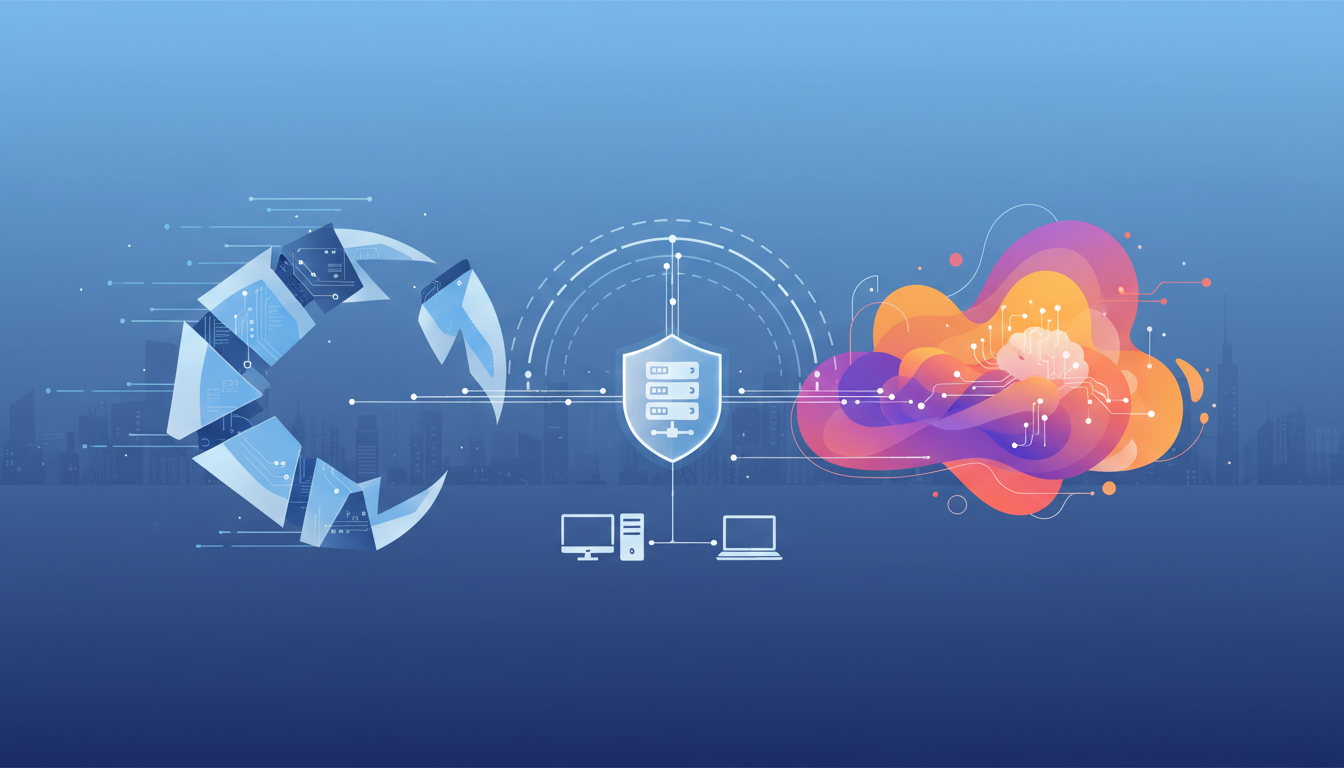
OpenClaw is an open-source AI assistant that acts as a bridge between your messaging platforms and AI models. Think of it as a smart gateway that receives your messages from apps like Telegram or WhatsApp, sends them to an AI model, and returns the responses right back to your chat.
Here's what makes OpenClaw different from typical AI assistants: instead of being locked to one platform or one company's servers, it runs on your own hardware. You control where it lives, what it can access, and which AI models it uses.
Ollama fits into this picture as the engine that runs AI models on your computer. If OpenClaw is the messenger, Ollama is the brain doing the actual thinking. Ollama packages complex AI models into easy-to-use containers, similar to how Docker packages software applications. You don't need to understand machine learning frameworks or neural network architecture—Ollama handles all the technical details.
The two work together seamlessly. When you send a message to OpenClaw through Telegram, for example, OpenClaw routes that message to Ollama, which processes it using whichever AI model you've chosen, and then OpenClaw delivers the response back to your Telegram chat. The entire conversation stays on your device, with no data sent to external servers.
OpenClaw runs as a persistent background process called the "gateway." This gateway is a WebSocket server that maintains connections to your messaging platforms and handles routing messages to the right AI model. When you configure OpenClaw's agent gateway, you're essentially teaching it which channels to listen to and how to respond.
How Do I Set Up OpenClaw with Ollama? (Step-by-Step Guide)
Setting up OpenClaw with Ollama has become dramatically simpler in 2026. What used to require multiple configuration files and manual setup steps now takes just a few minutes.
Prerequisites:
- A computer running macOS, Linux, or Windows
- At least 8GB of RAM (16GB or more recommended)
- 10-20GB of free disk space for models
- Basic comfort with a command line terminal
Installation Steps:
-
Install Ollama first. Visit ollama.com/download and grab the installer for your operating system. On Windows or Mac, just download and run the installer like any other application. On Linux, you can use the quick install script provided on their website.
-
Verify Ollama is working. Open your terminal and type
ollama. If you see a help message listing available commands, you're ready to proceed. -
Launch OpenClaw with one command. Since Ollama version 0.17, you can set up everything with:
ollama launch openclaw. Ollama detects whether OpenClaw is installed and handles the entire setup automatically. Most people have it running within 5-10 minutes. -
Choose your first model. OpenClaw needs a capable AI model with a good context window. For 2026, the recommended starting point is
qwen3:8b, which balances performance and quality on most laptops. Download it with:ollama pull qwen3:8b -
Connect a messaging platform. OpenClaw supports many messaging apps, but Telegram is often the easiest to start with. You'll need to create a Telegram bot through BotFather and add the bot token to OpenClaw's configuration.
The basic configuration involves editing OpenClaw's config file to specify which messaging platforms to connect and which Ollama models to use. The important part is using the correct API URL format.
Critical configuration detail: When configuring OpenClaw to use Ollama, use the native Ollama API URL: http://localhost:11434, NOT the OpenAI-compatible URL ending in /v1. Using /v1 breaks tool calling functionality, causing models to output raw JSON instead of executing actions properly.
Your basic config should specify the Ollama connection like this:
baseUrl: "http://localhost:11434"
api: "openai-responses"
After configuration, restart OpenClaw's gateway service and send a test message through your connected messaging app. If the AI responds, you're successfully running a private AI assistant on your own hardware.
For a comprehensive walkthrough with screenshots and platform-specific guidance, check out our detailed OpenClaw setup guide.
Which AI Models Should I Use with OpenClaw in 2026?
Choosing the right AI model for OpenClaw depends on your hardware, use cases, and performance expectations. Not all models work equally well for an agent that needs to execute tools and maintain conversation context.
Top Recommended Models for OpenClaw (2026):
Qwen3 and Qwen2.5-Coder lead the pack as the most popular choices. Qwen3 offers excellent all-around performance with strong reasoning abilities and good coding skills. The 8B parameter version runs smoothly on most laptops, while the 14B and larger versions provide even better results if you have adequate RAM. Qwen2.5-coder specifically excels at programming tasks.
DeepSeek-R1 provides another solid option, particularly for code-heavy work. It's gained popularity for balancing capability with resource efficiency.
Llama 3.3 remains widely used and well-supported by the community. It's a safe, reliable choice with good documentation and troubleshooting resources.
Model Size Considerations:
Smaller models (7B-8B parameters) run faster and use less memory, making them suitable for laptops and systems without dedicated GPUs. They handle most conversational tasks well but may struggle with complex reasoning or lengthy contexts.
Larger models (14B+ parameters) provide noticeably better results, especially for complex tasks requiring multi-step reasoning or tool execution. However, they demand more RAM and run slower on CPU-only systems.
Context Window Requirements:
OpenClaw needs models with substantial context windows to track conversation history and execute complex multi-step tasks. The minimum recommended context length is 64k tokens. Models with smaller contexts may lose track of earlier conversation or fail mid-task.
GPU vs CPU Performance:
If your system has a dedicated graphics card (GPU), Ollama automatically uses it for inference, which can be 5-10 times faster than CPU-only processing. Without a GPU, larger models become impractically slow for real-time conversation.
For systems without GPUs, stick with 8B parameter models or smaller. With a capable GPU, you can comfortably run 14B-70B models depending on your video memory.
Function Calling Support:
Not all models handle tool execution equally well. OpenClaw relies heavily on function calling—the ability to recognize when it should execute a tool rather than just respond with text. Models specifically mentioned for good function calling include Qwen2.5-coder, Qwen3, DeepSeek-R1, and Llama 3.3 with 14B+ parameters.
Smaller 8B models may occasionally hallucinate tool calls or forget to execute them when needed, though they're still usable for simpler agent tasks.
What Are the Benefits of Running OpenClaw Locally with Ollama?
Running AI on your own hardware offers several compelling advantages over cloud-based assistants, though it also comes with trade-offs worth understanding.
Privacy and Data Control:
Your conversations never leave your machine. When you discuss sensitive work projects, personal matters, or proprietary code with your AI assistant, that information stays entirely local. Cloud AI services necessarily transmit your messages to remote servers for processing, creating potential privacy exposure.
This local-first approach particularly matters for professionals handling confidential information, developers working with proprietary codebases, or anyone uncomfortable with cloud services analyzing their conversations.
Zero Ongoing Costs:
After your initial hardware investment, running AI locally costs nothing. No monthly subscriptions, no per-token API charges, no surprise bills from heavy usage. You can have unlimited conversations with your AI assistant without worrying about budget.
Cloud AI services charge based on usage, with costs adding up quickly for heavy users. A developer having extended back-and-forth conversations about code might easily spend $20-100 monthly on API access.
Offline Capability:
Once you've downloaded models through Ollama, they work without internet connectivity. You can use your AI assistant on a plane, in remote locations, or anywhere network access is unavailable or unreliable.
Customization and Control:
You choose exactly which models to run, how they're configured, and what they can access. Want to experiment with different models for different tasks? Easy. Need to limit what your AI can do? You control the tool permissions. Cloud services offer limited customization within their predetermined boundaries.
No Rate Limits:
Cloud AI services impose rate limits to prevent abuse and manage server capacity. Running locally means no artificial restrictions on how fast or frequently you can interact with your AI.
Trade-offs to Consider:
Local AI isn't universally superior. Cloud services like Claude API provide more capable models than what most consumer hardware can run locally. The latest frontier models from Anthropic or OpenAI outperform local alternatives, especially for complex reasoning, creative writing, or specialized knowledge.
Hardware requirements create an entry barrier. Not everyone has computers with sufficient RAM or GPU capability to run models effectively. Cloud services work on any device with internet access.
A practical middle ground combines both approaches: use local models through Ollama for routine tasks, quick questions, and privacy-sensitive work, while reserving cloud APIs for complex reasoning or specialized capabilities where the superior models justify the cost.
Is OpenClaw Secure? What Are the Privacy Risks?
OpenClaw's security picture is complicated. While it offers genuine privacy benefits through local execution, it also introduces serious security risks that require careful management.
The Privacy Promise vs Reality:
OpenClaw markets itself on privacy—your data stays on your machine. This is technically true for the AI processing itself. When using local Ollama models, conversations don't get sent to external servers. However, OpenClaw's behavior shows the difference between local execution and truly private operation.
OpenClaw can read files, execute commands, send emails, and interact with external services. If you connect it to your email, messaging platforms, and cloud services, your data necessarily flows through those channels. The AI processing may be local, but the actions it takes often aren't.
Major Security Vulnerabilities:
In early 2026, security researchers disclosed CVE-2026-25253, a critical vulnerability allowing attackers to hijack OpenClaw instances by tricking users into visiting malicious websites. The flaw enabled token leakage that gave attackers full control over the gateway host.
Security scans identified over 40,000 OpenClaw deployments exposed to the public internet, many running with default configurations that leave them vulnerable to exploitation.
Additional security concerns include:
Credential Leakage: OpenClaw has been reported to leak plaintext API keys and credentials, which threat actors can steal through prompt injection or unsecured endpoints.
Command Execution Risk: OpenClaw can run shell commands, read and write files, and execute scripts. If misconfigured or compromised, this grants an attacker broad system access.
Prompt Injection Attacks: Like all AI agents with tool access, OpenClaw is vulnerable to prompt injection—malicious instructions hidden in content the AI processes that trick it into taking unwanted actions.
Safe Usage Practices:
To minimize risks when running OpenClaw:
Always use Docker isolation. Run OpenClaw in a container with limited permissions rather than directly on your host system. This restricts what a compromised agent can access.
Bind to localhost only. Never expose OpenClaw's gateway to the public internet. Keep it accessible only from your local machine.
Use least-privilege access tokens. When connecting OpenClaw to external services, create API tokens with minimal required permissions. Don't use full-access admin tokens.
Don't connect to sensitive accounts. Avoid linking OpenClaw to your primary email inbox or accounts containing highly sensitive information.
Vet third-party skills carefully. OpenClaw's extension system allows community-contributed "skills," but these can potentially contain malicious code. Only install skills from trusted sources.
Keep software updated. OpenClaw maintainers have been improving security, but you need to actually update to benefit from fixes.
The bottom line: OpenClaw offers privacy benefits for AI processing but introduces significant security risks through its system access and external integrations. It's not a "set and forget" tool—responsible operation requires ongoing security practices.
How Much Does It Cost to Run OpenClaw with Ollama?
The economics of local AI versus cloud services involve upfront hardware costs versus ongoing API fees.
Upfront Hardware Investment:
Running OpenClaw with Ollama effectively requires capable hardware:
Minimum viable setup: A modern laptop with 16GB RAM and decent CPU can run smaller models (8B parameters) adequately for basic use. If you already own such a computer, your incremental cost is zero.
Recommended setup: 32GB RAM enables running larger, more capable models. A system with these specs typically costs $800-1,500 for a desktop or $1,200-2,000 for a laptop.
Optimal setup: Adding a dedicated GPU dramatically improves performance. A mid-range GPU with 8-12GB VRAM allows running 14B-30B models smoothly. This pushes system costs to $1,500-3,000 depending on other components.
Ongoing Operational Costs:
Electricity usage for running AI models locally is surprisingly modest. A computer running Ollama continuously might add $5-15 monthly to your electric bill, depending on your hardware and local electricity rates.
There are no software licensing costs—both Ollama and OpenClaw are free, open-source software.
Cloud API Comparison:
Cloud AI services charge per token (roughly per word) processed. Costs vary by provider and model:
- OpenAI's GPT-4: Approximately $0.01-0.06 per 1,000 tokens depending on the model
- Anthropic's Claude: Similar pricing tiers
- DeepSeek API: Notably cheaper at around $0.0014 per million tokens
A heavy user having extensive conversations might process 1-5 million tokens monthly, translating to $10-300 depending on which service and usage patterns.
Break-Even Analysis:
If you already own capable hardware, local AI wins immediately—zero ongoing cost beats any subscription.
If buying hardware specifically for AI, you break even against cloud services somewhere between 6-24 months depending on usage intensity and which services you'd otherwise pay for.
Light users (occasional questions, simple tasks) probably pay less using cloud APIs than investing in dedicated hardware.
Heavy users (daily conversations, coding assistance, content creation) quickly justify hardware investment through avoided API costs.
The Hybrid Approach:
Many users find optimal value combining both: use local Ollama models for routine tasks, quick questions, and privacy-sensitive work, while reserving cloud APIs for complex reasoning where top-tier models provide significantly better results.
This hybrid strategy minimizes costs while maximizing capability—you're not paying for simple queries that local models handle fine, but you have access to frontier models when they're truly needed.
If you're considering setting up a dedicated system for local AI, you might want to explore options like an OpenClaw mini PC for a cost-effective, space-efficient solution.
What Hardware Do I Need to Run OpenClaw with Ollama?
Understanding hardware requirements helps you decide whether your current system can run OpenClaw effectively or whether you need upgrades.
RAM (Memory) Requirements:
RAM is the most critical factor for running local AI models. Models load entirely into memory during use.
- 8GB RAM: Bare minimum, can run only the smallest models (3B-7B parameters) with limited context. Not recommended for serious use.
- 16GB RAM: Adequate for 8B parameter models, which handle basic conversations and simple agent tasks reasonably well.
- 32GB RAM: Comfortable zone for 14B-20B models, providing significantly better reasoning and tool execution.
- 64GB+ RAM: Enables running very large models (30B-70B) that approach cloud service quality.
Beyond the model itself, OpenClaw's gateway process uses additional memory, as do your messaging apps and operating system. Leave headroom beyond the model's theoretical requirements.
Processor (CPU) Considerations:
With a GPU handling AI inference, CPU requirements are modest—any modern multi-core processor works fine.
Without a GPU, CPU becomes critical. AI inference is computationally intensive, and CPUs process it 5-10 times slower than GPUs. Modern CPUs with many cores (8+) and high clock speeds handle smaller models acceptably, but larger models become painfully slow.
GPU (Graphics Card) Impact:
A dedicated GPU transforms the local AI experience. GPUs excel at the parallel processing required for AI inference, delivering responses in seconds rather than minutes.
GPU VRAM requirements by model size:
- 8B models: 6-8GB VRAM
- 14B models: 10-12GB VRAM
- 30B models: 20-24GB VRAM
- 70B models: 40GB+ VRAM (typically requiring multiple GPUs)
Popular consumer GPUs for AI include Nvidia's RTX 3060 (12GB), RTX 4060 Ti (16GB), and RTX 4090 (24GB). AMD GPUs work but have less mature AI software support.
If you don't have a GPU, you're not locked out—you just need to stick with smaller models and accept slower response times.
Storage Requirements:
AI models consume significant disk space:
- Small models (8B): 5-7GB each
- Medium models (14B): 8-12GB each
- Large models (30B+): 20-50GB each
Plan for at least 50-100GB of available storage to accommodate multiple models and OpenClaw's data.
Solid-state drives (SSD) are strongly preferred over traditional hard drives for faster model loading.
Network Requirements:
After initial setup, OpenClaw runs entirely offline. You only need internet connectivity to download models initially and to update software.
If connecting OpenClaw to cloud services or remote messaging platforms, a standard home internet connection suffices—AI inference happens locally, so you're only transmitting messages, not processing.
Platform Compatibility:
OpenClaw and Ollama support macOS, Linux, and Windows. macOS and Linux generally offer smoother experiences with better documentation, but Windows works fine with occasional additional configuration.
For macOS users, Apple Silicon Macs (M1/M2/M3) provide surprisingly good AI performance thanks to unified memory architecture, though they still trail dedicated GPUs for larger models.
OpenClaw Not Responding? Common Problems and Solutions
Despite simplified setup, OpenClaw and Ollama integration can hit snags. Here are the most frequent issues and their fixes.
Problem: OpenClaw connects to Ollama but gets no responses
You see the typing indicator but never receive an answer, or OpenClaw shows "0/200k tokens" and hangs indefinitely.
Causes and solutions:
- Incorrect API configuration: Verify you're using
baseUrl: "http://localhost:11434"NOThttp://localhost:11434/v1. The/v1endpoint breaks tool calling. - Missing API format: Add
api: "openai-responses"orapi: "openai-completions"to your Ollama provider configuration. - Insufficient memory: A 32B model on a 32GB RAM system leaves little room for context. Try a smaller model or upgrade RAM.
- Model not fully loaded: Check Ollama logs to confirm the model loaded successfully. Large models can take 30-60 seconds to initialize.
Problem: Network connection errors in Docker or VMs
OpenClaw can't reach Ollama, showing connection refused or timeout errors.
Causes and solutions:
- Localhost confusion: In Docker,
127.0.0.1refers to the container, not your host machine. Usehost.docker.internal(Docker Desktop) or--network=host(Linux). - VM networking: In a virtual machine,
localhostpoints inside the VM. Use your host system's actual IP address instead. - Firewall blocking: Ensure your firewall allows connections on port 11434.
Problem: OpenClaw crashes or restarts frequently
The gateway process terminates unexpectedly without clear error messages.
Causes and solutions:
- Out of memory (OOM) kills: Your operating system is terminating OpenClaw when RAM runs out. Check system logs for OOM messages. Solution: use smaller models or add more RAM.
- Known stability issues: OpenClaw has documented stability problems. Many users run a cron job to automatically restart the gateway every 30 minutes as a workaround.
Problem: Models output raw JSON instead of executing tools
Your AI responds with tool definitions and JSON structures instead of actually executing actions.
Cause and solution:
You're using the /v1 OpenAI-compatible endpoint, which breaks tool calling. Switch to the native Ollama API: baseUrl: "http://localhost:11434" (no /v1).
Problem: Performance is unacceptably slow
Responses take minutes to generate, making real-time conversation impossible.
Causes and solutions:
- CPU-only processing: Without a GPU, inference is 5-10x slower. Solutions: add a GPU, use smaller models, or switch to cloud APIs for time-sensitive interactions.
- Model too large for hardware: A 30B model on 32GB RAM thrashes your system. Use models sized appropriately for your hardware.
- Context window exhaustion: Very long conversations fill the context window, slowing generation exponentially. Clear conversation history or start a new session.
Problem: Can't find or load models
OpenClaw doesn't see models you've downloaded through Ollama.
Causes and solutions:
- Verify model installation: Run
ollama listto see downloaded models. - Configuration mismatch: Check that model names in OpenClaw's config exactly match names shown by
ollama list. - Permission issues: Ensure OpenClaw has permission to access Ollama's model storage directory.
Diagnostic Commands:
When troubleshooting, these commands provide valuable information:
ollama list- Show downloaded modelsollama ps- Display currently running modelsopenclaw doctor --fix- Run OpenClaw diagnostics- Check OpenClaw logs (location varies by platform) for detailed error messages
Most OpenClaw and Ollama problems stem from configuration errors rather than fundamental software issues. Careful attention to API URLs, network configuration, and hardware limitations resolves the majority of problems.
How Do I Configure OpenClaw to Avoid Common Mistakes?
Proper configuration prevents many headaches and ensures OpenClaw runs reliably.
Use the Correct Ollama API Endpoint
This is the single most important configuration detail: use http://localhost:11434 as your base URL, NOT http://localhost:11434/v1. The /v1 endpoint is OpenAI-compatible but breaks OpenClaw's tool calling functionality.
Configure Adequate Context Windows
Set your model's context length to at least 64k tokens. OpenClaw needs substantial context to track conversation history and complex multi-step tasks. Smaller contexts cause the AI to lose track of earlier conversation or fail mid-task.
Choose Models with Good Function Calling Support
Not all models handle tool execution equally well. Stick with models known for reliable function calling: Qwen2.5-coder, Qwen3, DeepSeek-R1, or Llama 3.3 with 14B+ parameters.
Smaller 8B models work but may occasionally forget to execute tools or hallucinate tool calls.
Size Models Appropriately for Your Hardware
Running models larger than your RAM can handle causes crashes, slowdowns, and instability. Leave comfortable headroom:
- 16GB RAM → 8B models
- 32GB RAM → 14B-20B models
- 64GB RAM → 30B-70B models
Implement Docker Isolation
For security, always run OpenClaw in a Docker container rather than directly on your host system. This limits what a compromised agent can access.
Bind to Localhost Only
Never expose OpenClaw's gateway to the public internet. Configure it to listen only on 127.0.0.1, keeping it accessible solely from your local machine.
Use Least-Privilege API Tokens
When connecting OpenClaw to external services, create API tokens with minimal required permissions. Don't use full-access admin tokens that could be exploited if compromised.
Plan for Stability Issues
OpenClaw has documented reliability problems, with users reporting frequent crashes. A practical workaround is setting up a cron job to automatically restart the gateway every 30 minutes.
While not ideal, this "band-aid" solution keeps OpenClaw functional while developers work on underlying stability improvements.
Consider a Hybrid Approach
Configure OpenClaw to use local Ollama models for routine tasks and quick questions, but keep cloud API credentials available for complex reasoning that benefits from frontier models.
This hybrid strategy balances cost savings, privacy, and capability. You're not paying API fees for simple queries, but you have access to superior models when they're truly needed.
Backup Your Configuration
Once you have OpenClaw working reliably, backup your configuration files. Getting everything configured correctly can be time-consuming, and having a backup makes recovery from crashes or system changes much faster.
Comparison Table: OpenClaw + Ollama vs Cloud AI Services
| Factor | OpenClaw + Ollama | Cloud AI Services |
|---|---|---|
| Privacy | Conversations stay on your device | Data sent to external servers |
| Cost | Hardware investment ($500-2000), zero ongoing | Zero upfront, $10-100+ monthly |
| Setup Complexity | Moderate (command line, configuration) | Minimal (web signup, API key) |
| Model Quality | Good (8B-70B local models) | Excellent (frontier models) |
| Hardware Required | 16GB+ RAM, preferably GPU | Any device with internet |
| Internet Dependency | Only for initial setup | Required for all use |
| Response Speed | Fast with GPU, slow on CPU | Consistently fast |
| Customization | Full control over models and tools | Limited to provider options |
| Rate Limits | None | Yes, vary by plan |
| Security Risk | System access vulnerabilities | Data transmission exposure |
| Best For | Privacy-focused users, heavy users, developers | Casual users, best-in-class quality |
Frequently Asked Questions
Can I run OpenClaw without Ollama?
Yes, OpenClaw supports various AI providers including Anthropic's Claude API, OpenAI's GPT, and other cloud services. Ollama is specifically for running models locally. If you're using cloud APIs, you don't need Ollama.
How much electricity does running OpenClaw and Ollama consume?
A system running AI models continuously typically adds $5-15 monthly to electricity bills, depending on hardware and local rates. GPU-equipped systems use more power than CPU-only setups, but the cost remains modest compared to cloud API fees for heavy users.
Will OpenClaw work on my Mac?
Yes, both OpenClaw and Ollama support macOS. Apple Silicon Macs (M1/M2/M3) actually provide good AI performance thanks to unified memory architecture, though they trail dedicated GPUs for larger models. Intel Macs work but offer slower performance.
Can I use OpenClaw for work without security concerns?
Only with significant precautions. OpenClaw has known security vulnerabilities and broad system access. For work use, implement Docker isolation, least-privilege tokens, localhost-only binding, and avoid connecting it to highly sensitive accounts. Consider whether the security trade-offs are acceptable for your specific use case.
What happens if my internet goes down?
After initial setup and model downloads, OpenClaw with Ollama works completely offline. You can have conversations, execute local tools, and use your AI assistant without any network connectivity. You only need internet for downloading models, software updates, or if you've configured connections to cloud services.
Is OpenClaw better than ChatGPT or Claude?
"Better" depends on priorities. For privacy and zero ongoing costs, OpenClaw with local models wins. For pure capability, cloud services like Claude offer more advanced models than consumer hardware can run locally. Many users find a hybrid approach optimal—local models for routine work, cloud APIs for complex tasks requiring top-tier models.
OpenClaw and Ollama together democratize AI assistance, putting powerful models directly on your hardware under your control. While the setup requires more technical effort than signing up for ChatGPT, the payoff is genuine privacy, zero ongoing costs, and complete customization. Whether you're a privacy-conscious professional, a developer wanting unlimited API access, or simply curious about local AI, OpenClaw with Ollama provides a compelling alternative to cloud services.
The landscape continues evolving rapidly, with local models improving in quality while becoming more efficient, and tools like Ollama making setup increasingly straightforward. What seemed impractical just a few years ago—running capable AI on consumer hardware—is now not just possible but practical for everyday use.