
How to Wrap Legacy APIs into Modern OpenClaw Skills
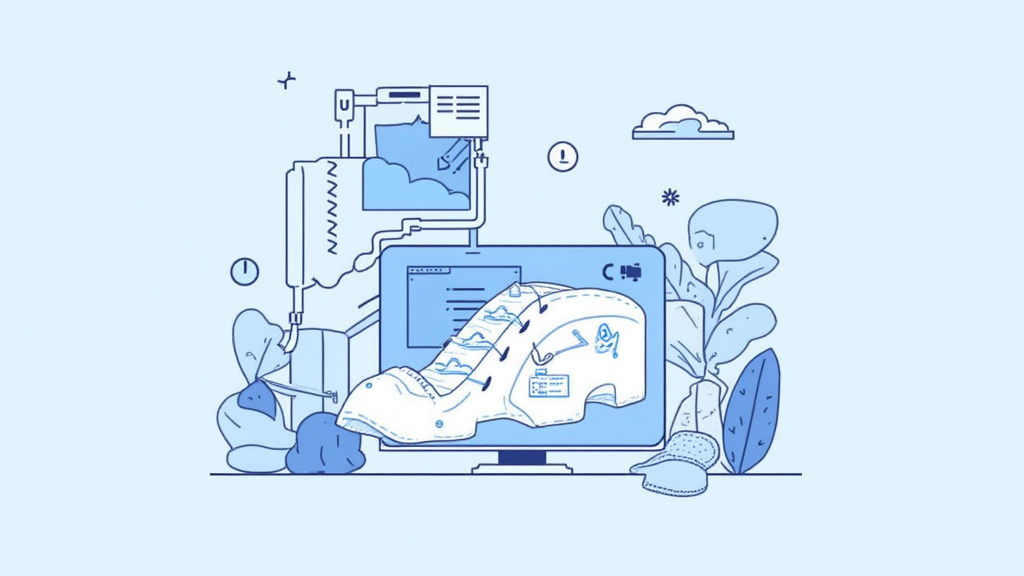
How to Wrap Legacy APIs into Modern OpenClaw Skills
Legacy APIs have powered countless applications for years, but they often feel clunky compared with today’s conversational platforms. OpenClaw lets you expose those old services as natural‑language skills, turning a dated endpoint into a friendly chatbot interaction. This guide walks you through the entire process—from inventorying your existing endpoints to deploying a polished OpenClaw skill that developers and end‑users love. A useful reference here is Filter Spam Messages Openclaw.
Short answer:
To wrap a legacy API with OpenClaw, first catalog the API’s endpoints and data contracts. Then create a new skill project, map each endpoint to an intent, write thin adapter code that translates OpenClaw’s JSON payloads into the API’s request format, handle authentication, test locally, and finally publish the skill to the OpenClaw Marketplace. The result is a modern, conversational interface that hides the complexity of the old system while preserving its business logic. For implementation details, check Build First Openclaw Skill Tutorial.
1. What Is a “Legacy API” and Why Does It Still Matter?
A legacy API is any publicly exposed service that was built before current best practices—think SOAP‑based web services, REST endpoints lacking versioning, or custom RPC layers. They often suffer from: A related walkthrough is Best Openclaw Skills Health Fitness.
- Inconsistent naming – parameters may use cryptic abbreviations.
- Sparse documentation – only internal wikis exist.
- Rigid authentication – basic auth or static tokens.
Even with these quirks, legacy APIs hold valuable business rules, data stores, and transaction logic that would be costly to rewrite from scratch. Wrapping them in OpenClaw lets you keep the investment while delivering a fresh user experience. For a concrete example, see Implement Authentication Openclaw Skills.
2. When Should You Wrap Instead of Re‑engineer?
| Situation | Wrap with OpenClaw | Re‑engineer |
|---|---|---|
| Time‑critical launch | ✅ Fast integration, minimal code | ❌ Long development cycle |
| Stable business logic | ✅ Leverages proven processes | ❌ Risk of breaking existing contracts |
| Limited budget | ✅ Low‑cost adapter layer | ❌ High development spend |
| Future scalability needed | ❌ May inherit old bottlenecks | ✅ Opportunity to redesign |
If your API is stable, well‑tested, and you need a conversational front‑end quickly, wrapping is the pragmatic choice. If you anticipate massive scaling or need to overhaul security, a full rebuild may be justified. This is also covered in Openclaw Skills Supercharge Freelance Business.
3. Core Steps to Wrap a Legacy API
Below is a high‑level roadmap you can follow. Each step includes practical tips and pitfalls to avoid.
- Inventory the API – List every endpoint, method, request/response schema, and authentication scheme.
- Define OpenClaw intents – Translate business actions (e.g., “Create invoice”) into user intents.
- Set up a skill project – Use the OpenClaw CLI to scaffold a new skill repository.
- Write adapter functions – Code thin wrappers that map OpenClaw JSON payloads to the legacy request format.
- Handle authentication – Securely store tokens or credentials and refresh them as needed.
- Test locally – Use the OpenClaw emulator and unit tests for each intent.
- Deploy and monitor – Publish the skill, enable logging, and watch for errors.
The numbered list above will be expanded in the next section.
4. Detailed Walkthrough (Numbered Guide)
4.1. Inventory Your Legacy API
- Create a spreadsheet with columns: Endpoint URL, HTTP method, Request body, Response body, Auth type, Rate limits.
- Validate with tools such as Postman or curl to confirm that each endpoint behaves as documented.
- Identify dependencies like external databases or message queues that the API touches.
4.2. Map Business Actions to OpenClaw Intents
OpenClaw skills revolve around intents, which represent a user’s goal. For a ticket‑tracking system, intents might include CreateTicket, UpdateTicketStatus, and GetTicketDetails. Write a short description for each intent and note the corresponding legacy endpoint.
4.3. Scaffold the Skill
OpenClaw provides a CLI that generates the folder structure, config files, and sample code. Run:
openclaw init my-legacy-wrapper
cd my-legacy-wrapper
openclaw generate intent CreateTicket
If you’re new to OpenClaw, the [build your first OpenClaw skill tutorial] offers a step‑by‑step walkthrough of this process.
4.4. Write Thin Adapter Functions
Each intent handler receives a JSON payload from the OpenClaw runtime. Your job is to:
- Extract needed parameters (e.g.,
customerId,issueDescription). - Build the legacy request format (often XML or a bespoke JSON schema).
- Call the legacy endpoint using a lightweight HTTP client.
- Translate the response back into a friendly message for the user.
Keep the adapter thin—avoid embedding business logic; let the legacy API do the heavy lifting.
4.5. Secure Authentication
Legacy services may rely on static API keys, Basic Auth, or even IP whitelisting. OpenClaw skills can store secrets in environment variables or the platform’s secure vault. For more complex flows, such as OAuth 2.0, follow the [implement authentication in OpenClaw skills] guide to correctly obtain and refresh tokens.
4.6. Local Testing and Validation
OpenClaw’s emulator lets you invoke intents from the command line. Write unit tests for each adapter using a framework like Jest or Mocha. Verify:
- Correct mapping of parameters.
- Proper error handling when the legacy API returns 4xx/5xx codes.
- Graceful fallback messages for users (e.g., “I’m sorry, I couldn’t find that record”).
4.7. Deploy, Publish, and Monitor
Once tests pass, push the skill to the OpenClaw Marketplace with:
openclaw publish
Enable logging and set up alerts for failed API calls. Monitoring will help you spot latency spikes or authentication failures early.
4.8. Optimize for Performance
- Cache static data (e.g., product catalogs) using OpenClaw’s built‑in cache layer.
- Batch requests when possible to reduce round‑trips to the legacy service.
- Compress payloads if the legacy API supports it.
4.9. Iterate Based on User Feedback
Collect conversation logs, identify misunderstood utterances, and refine your intent training phrases. Over time, the skill becomes more accurate and user‑friendly.
5. Handling Common Legacy Challenges
5.1. Inconsistent Data Formats
Legacy APIs sometimes return dates in mixed formats (ISO‑8601, Unix timestamps, or custom strings). Normalize these in your adapter before sending them to OpenClaw. Use a utility library like date‑fns to parse and format dates consistently.
5.2. Rate Limiting
If the old service imposes strict request caps, implement exponential back‑off and respect the Retry-After header. OpenClaw’s middleware can throttle outbound calls automatically.
5.3. Error Propagation
Never expose raw stack traces to end‑users. Map technical errors to user‑friendly messages, and log the details for developers. For example:
- Technical:
500 Internal Server Error – DB connection timeout - User Message: “I’m having trouble accessing the system right now. Please try again in a few minutes.”
6. Security Considerations
Wrapping a legacy API does not automatically improve its security posture. Pay attention to:
- Transport encryption – Ensure all calls use HTTPS, even if the legacy service originally used HTTP.
- Credential rotation – Store keys in OpenClaw’s secret manager and rotate them regularly.
- Input validation – Sanitize user inputs before forwarding them to the legacy endpoint to prevent injection attacks.
If you need to filter spam messages before they reach your skill, the OpenClaw spam‑filtering guide provides best practices for detecting and rejecting malicious utterances.
7. Cost Implications
OpenClaw charges per skill invocation and per megabyte of data transferred. Wrapping a legacy API typically adds minimal overhead because the adapter code is lightweight. However, consider:
- Data volume – Large XML responses can increase transfer costs.
- Invocation frequency – High‑traffic skills may benefit from caching or batch processing to reduce API calls.
A cost‑benefit analysis helps decide whether additional optimization steps are worth the investment.
8. Advanced Techniques
8.1. Multi‑Channel Deployment
OpenClaw skills can be exposed on Slack, Microsoft Teams, or custom web widgets. Use the same adapter logic across channels; only the interaction model (utterance examples) changes.
8.2. Progressive Enhancement
Start with a basic wrapper that handles core CRUD operations. Later, add rich responses such as cards, charts, or downloadable PDFs by extending the skill’s response schema.
8.3. Leveraging Community Skills
Explore existing OpenClaw skills for inspiration. The [best OpenClaw skills for health & fitness] collection showcases how developers built engaging experiences on top of simple APIs—a useful reference when designing your own conversational flows.
8.4. Supercharging a Freelance Business
If you’re a freelancer, wrapping legacy client APIs into OpenClaw skills can differentiate your service offering. The [OpenClaw skills that supercharge a freelance business] article outlines how consultants used skill‑based automation to win new contracts and increase billable hours.
9. Frequently Asked Questions
Q1: Do I need to rewrite the legacy API to use OpenClaw?
No. OpenClaw works with any HTTP‑based service. Your adapter simply translates between OpenClaw’s JSON format and the API’s expected payload.
Q2: How do I test authentication without exposing credentials?
Store secrets in OpenClaw’s secure vault or use environment variables. The skill runtime injects them at runtime, keeping them out of source control.
Q3: Can I cache responses to reduce latency?
Yes. OpenClaw provides a built‑in caching layer. Cache static data like product catalogs for up to 24 hours, but always respect the legacy API’s caching headers.
Q4: What happens if the legacy API goes down?
Your skill should detect HTTP 5xx responses and reply with a graceful fallback message. Enable alerts in the OpenClaw dashboard to investigate downtime quickly.
Q5: Is there a limit to how many intents I can create?
OpenClaw imposes no hard limit, but keep intent granularity reasonable. Over‑splitting can make training data harder to manage.
Q6: How do I handle versioning of the legacy API?
Include the API version in the endpoint URL inside your adapter (e.g., /v2/customers). When a new version is released, update the adapter code without changing the OpenClaw intent definitions.
10. Recap and Next Steps
Wrapping legacy APIs into modern OpenClaw skills gives you a conversational front‑end without discarding existing business logic. By following the inventory‑to‑deployment roadmap, handling authentication securely, and iterating based on real user data, you can deliver a polished skill that feels native to today’s chat‑first world.
Ready to start? Begin by cataloguing your endpoints, then scaffold a new skill using the OpenClaw CLI. As you progress, refer back to the resources highlighted throughout this guide for deeper dives into authentication, spam filtering, and business‑focused skill design. Happy building!